
AI usage helps you understand consumption and diagnose questions. An estimated cost is not a provider invoice, and an unknown cost should not be interpreted as zero.
Before you start
Use a management role with AI usage or conversation permission. Choose the month and community you intend to review.
Steps
1. Open AI Usage
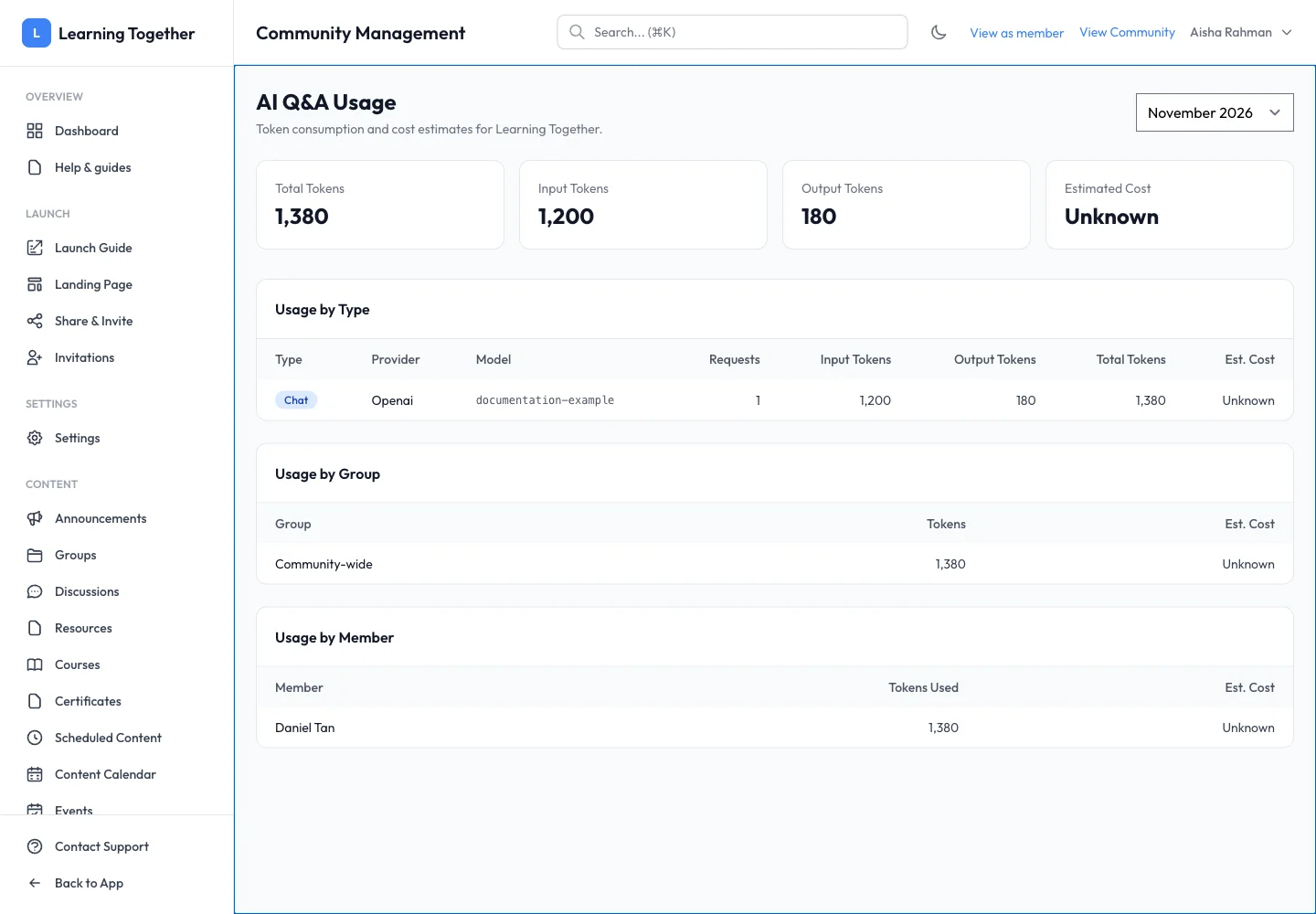
Select AI Usage and choose the month. Review Total Tokens, Input Tokens, Output Tokens and Estimated Cost. Check provider/model details in Usage by Type.
2. Compare groups and members
Review Usage by Group and Usage by Member. Use this information to spot unexpected patterns and decide whether the existing token limits remain suitable.
3. Inspect a conversation
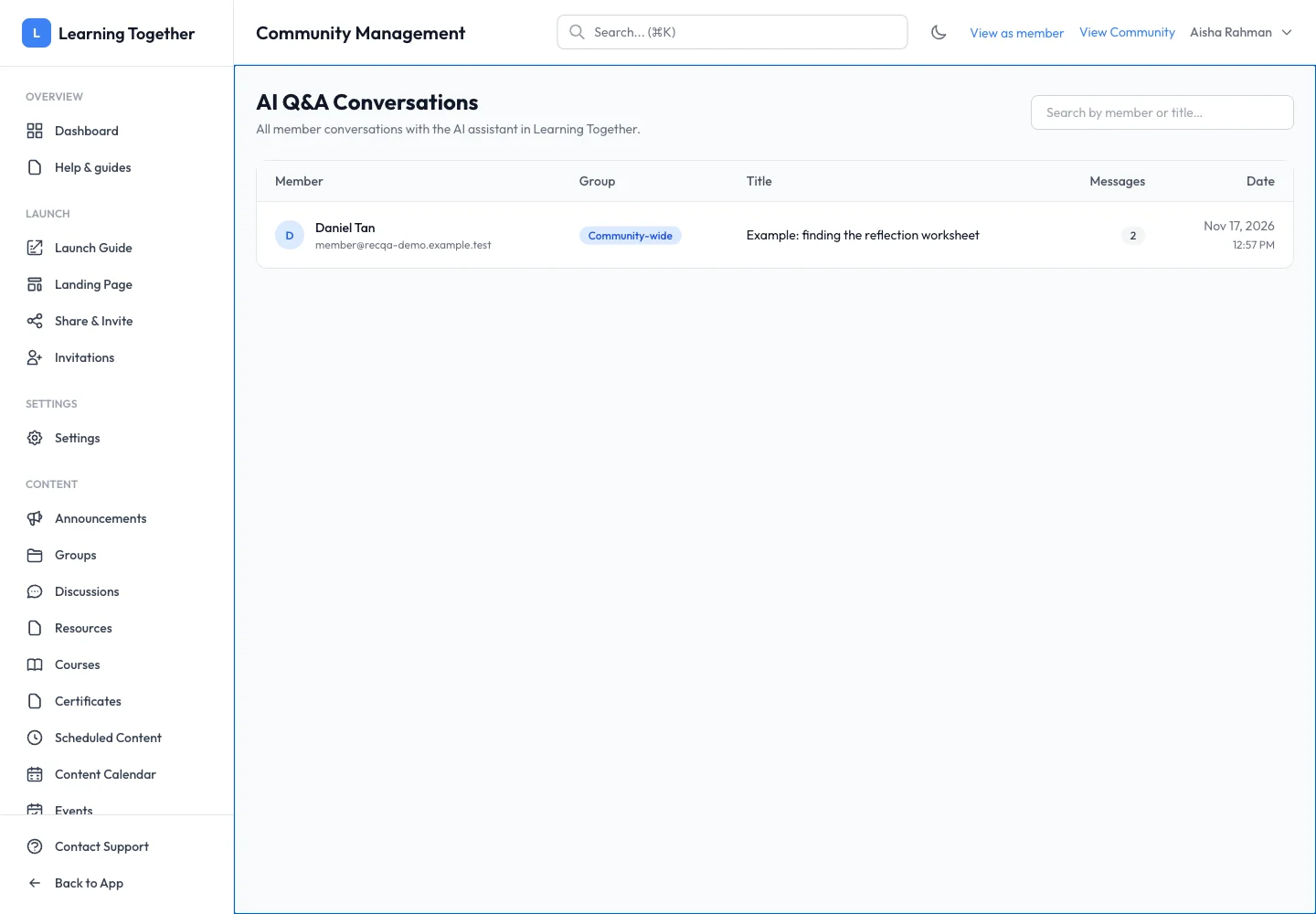
Open AI Conversations, locate the member, group and title, then open the conversation where the interface permits. Read the question and response together. Do not share a member’s conversation outside the authorised support or administration context.
4. Fix the relevant cause
For missing information, check source indexing. For access issues, inspect community/group settings. For excessive consumption, review limits and the pattern of questions. Changing the model is not a substitute for fixing an inaccessible source.
Expected result
You can trace usage to its period and context and choose an appropriate settings or content correction.
Troubleshooting
- No usage: check the month and whether successful requests were recorded.
- Unknown estimate: consult provider billing for actual charges; do not assume zero.
- Conversation not found: check community, group and whether it was deleted.
- High token count: compare the input and output split before changing response limits.