
Moderation combines the report, the original content and the community’s rules. Read the context before deciding what action to take.
Before you start
Use an account with moderation permission. Have your community guidelines available and confirm you are managing the correct community.
Steps
1. Open the review queue
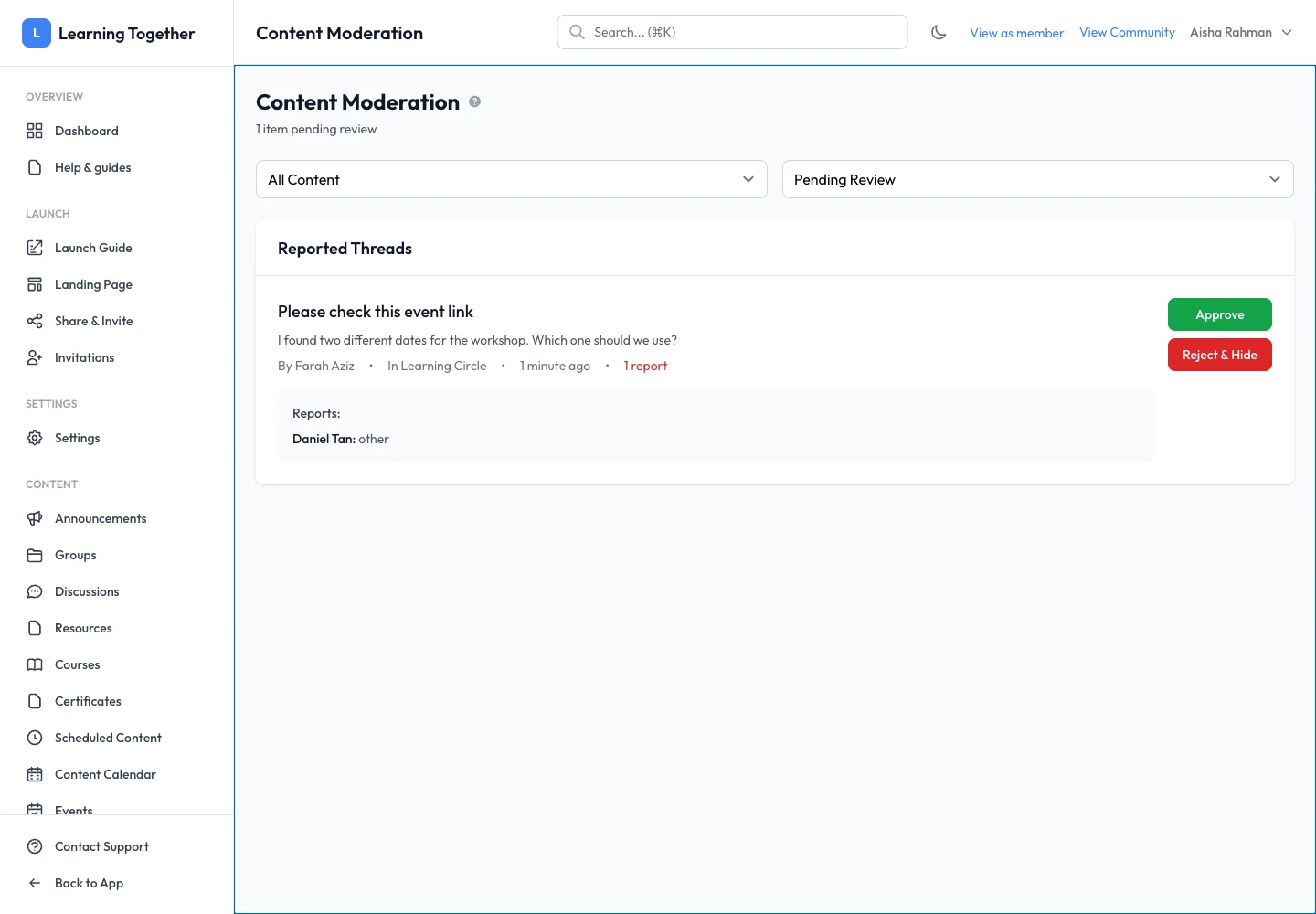
Open Content Moderation or Approval Queue in management. Filter by threads or comments and review the pending items. This content-review queue is separate from membership approval.
2. Inspect the report and original context
Open the reported item. Read its reason, description and surrounding conversation. A report may identify an error that needs correction rather than content that should be removed.
3. Track and assign the review
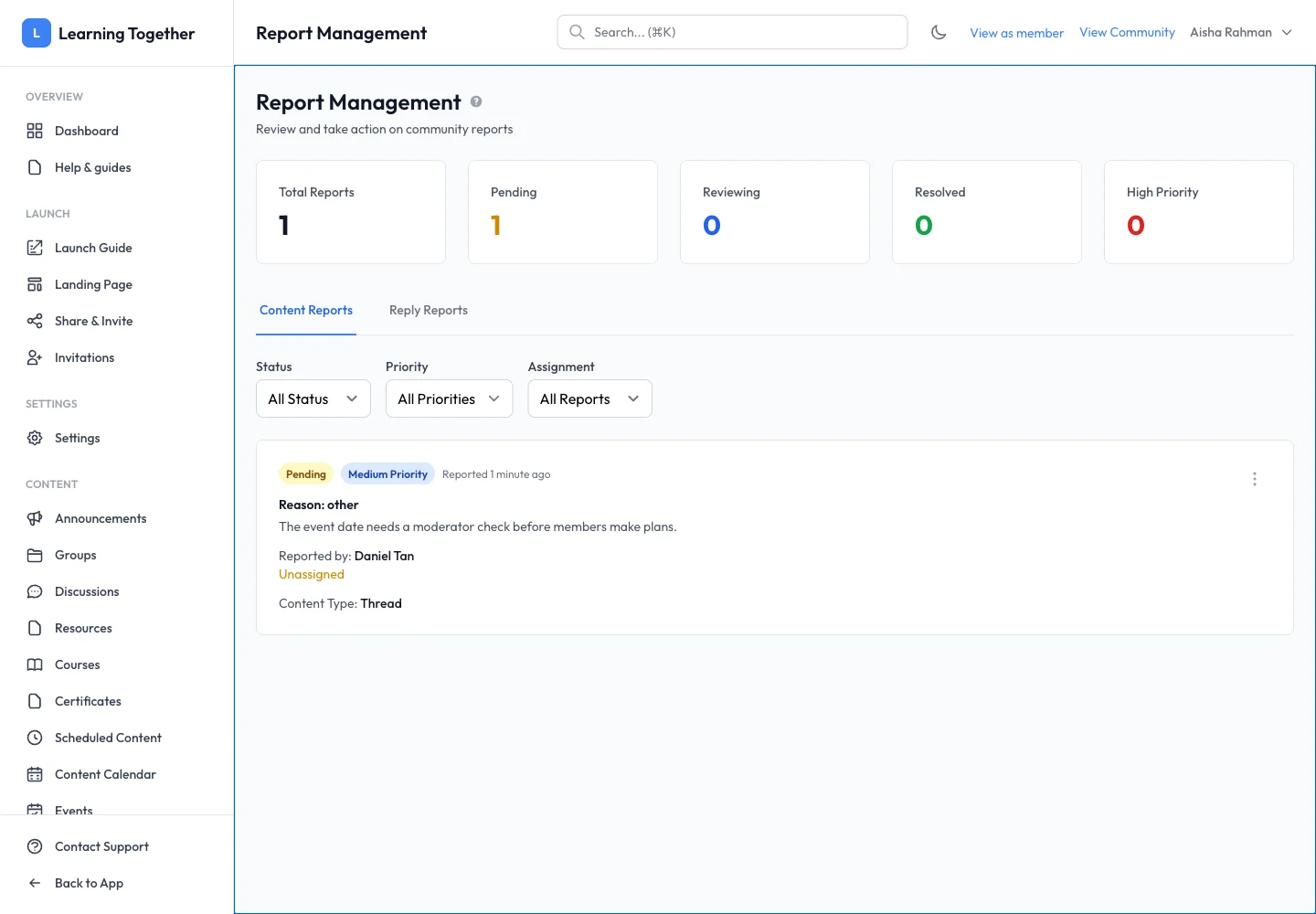
In Report Management, use Content Reports or Reply Reports. Filter by Status, Priority and Assignment. Assign the review where supported so the team knows who is handling it.
4. Take and record the appropriate action
Use the report’s available action after checking its effect. Add a clear internal note explaining the decision and mark the review resolved or dismissed as appropriate. Reopen the original content to confirm the intended outcome.
Expected result
The report has a clear status and decision, and the original content reflects any moderation action taken.
Troubleshooting
- Queue looks empty: clear status and assignment filters.
- Report and member approval confused: membership is managed from Members; this queue is for content.
- Action unavailable: check your role and whether another moderator already handled the item.
- A correction is enough: record why the report was resolved so other moderators understand the decision.