
An RSVP tells the organiser your intention to attend. It is not the same as confirmed training attendance for a certificate.
Before you start
Join the community and check whether you can attend at the event’s displayed timezone. Make sure your notification preferences match the reminders you want.
Steps
1. Open upcoming events
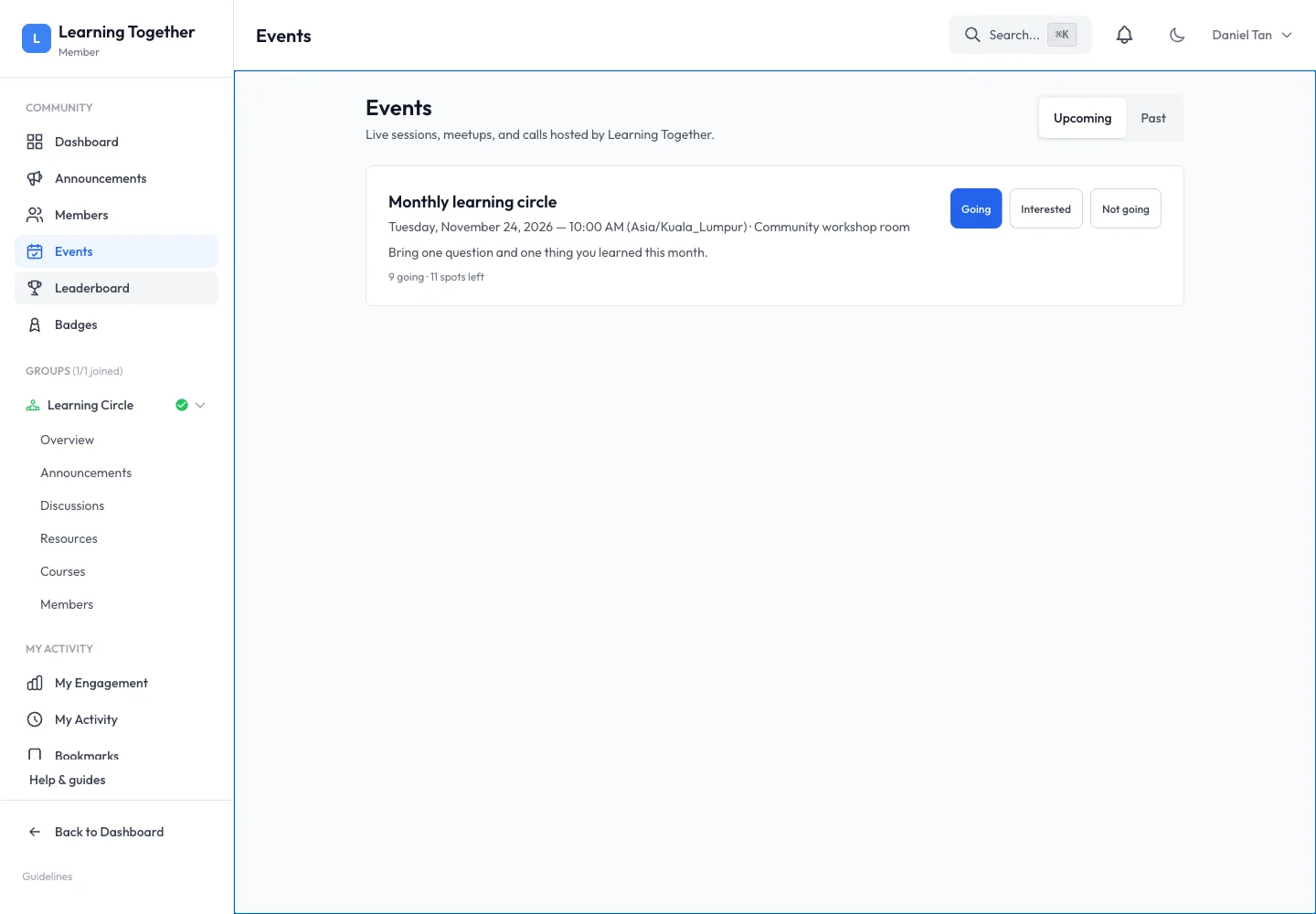
Choose Events in the community navigation. Use Upcoming to find future sessions. Read the description, time, timezone, location and remaining capacity.
2. Set your response
Choose Going, Interested or Not going. Wait for the visible state to update. Use Going only when you intend to attend so the organiser can plan capacity.
3. Check reminders
Open Notification settings and review Event Reminders. The event interface describes reminders at 24 hours and one hour before the event. Delivery still depends on your saved preferences and the notification channels available to your account.
4. Return for the event or recording
Open the event again near its start time and use its location or meeting instructions. Afterward, switch to Past and open the recording if the organiser has attached one and your access permits it.
Expected result
Your response is saved and the organiser can see the attendance count. You know the correct time and where to return.
Troubleshooting
- No places left: contact the organiser rather than submitting repeated RSVPs.
- Cannot find a recording: it may not have been uploaded or made available yet.
- Time seems different from a message: compare the timezone and latest event details.
- Need a certificate: use the organiser’s training claim link; Going alone is not attendance confirmation.