
Content Performance brings together published announcements, resources and courses. Course Analytics provides a closer view of an individual course.
Before you start
Publish useful content and allow time for real member activity. Select a time range that matches your review question.
Steps
1. Open Content Performance
Choose Content Performance in management. Set Timeframe and Content Type. Inspect published counts, views, downloads, enrolments and completions in the appropriate sections.
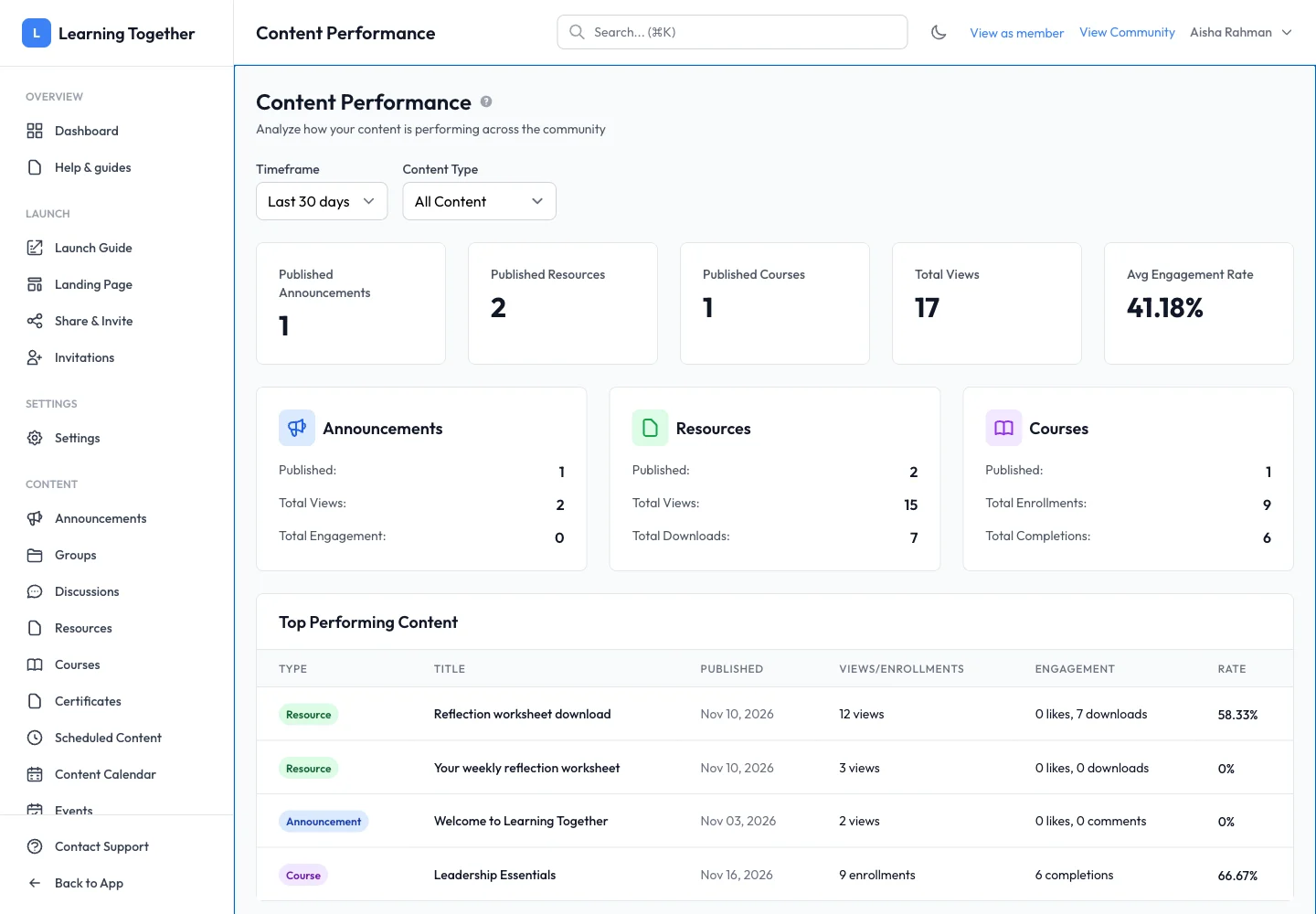
2. Read the top-content table
Review title, publication date, views or enrolments and engagement. A high-view announcement and a completed course serve different purposes; compare like with like.
3. Open course analytics
From a course’s curriculum or actions, open Analytics. Inspect enrolment, learner progress and completion information. Compare the figures with Students when investigating a specific learner.
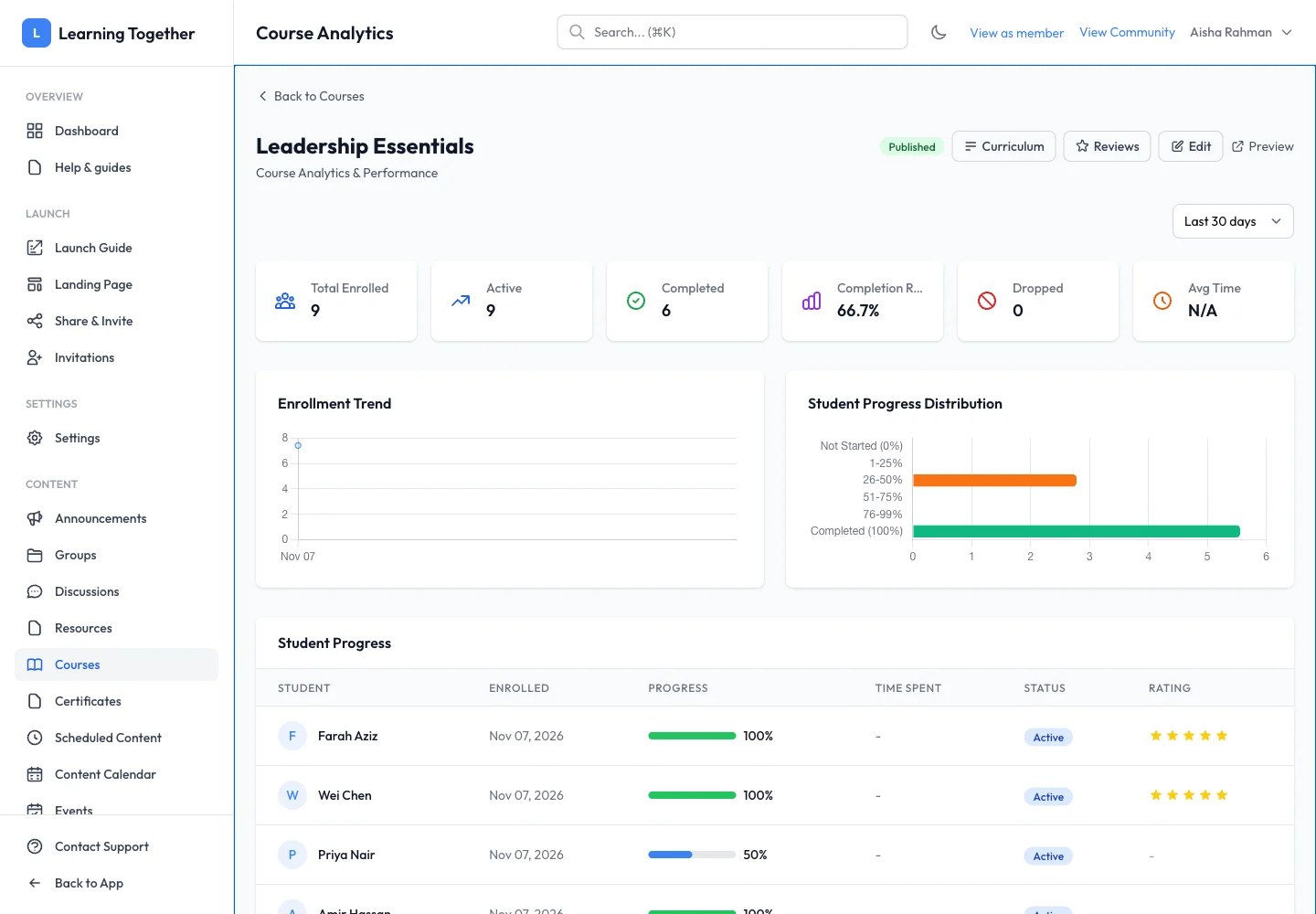
4. Act on a specific finding
Open the underlying resource or lesson and inspect it as a member. Fix a broken link, clarify an instruction or add a useful example before assuming low completion means low interest. Check Reviews and Discussions for context.
Expected result
You can identify content that is being used and select a concrete improvement supported by its context.
Troubleshooting
- Draft absent from published counts: publish only when ready; drafts are not member-facing content.
- Views and enrolments differ: they measure different actions.
- Completion lower than enrolment: inspect required lessons, release rules and access expiry.
- Recent edit seems ineffective: choose a suitable observation period rather than expecting immediate trend changes.