
Your profile helps other members recognise you. Only include details you want people in your communities to see.
Before you start
Sign in and have your current password available if you want to change it. Use your account email for invitations and purchases; the Profile page does not allow changing that email after creation.
Steps
1. Open Settings
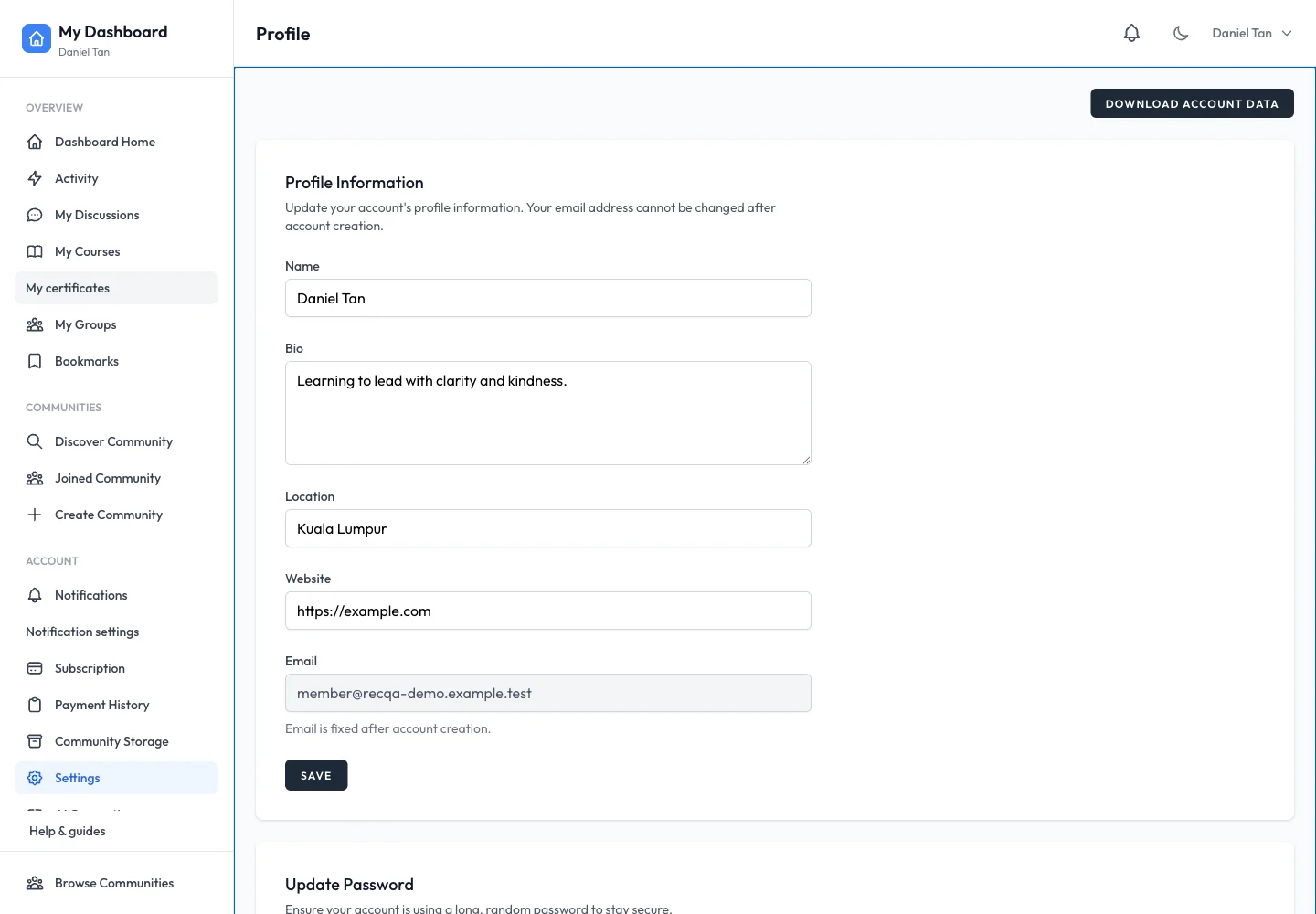
Choose Settings in your personal dashboard. In Profile Information, update your name, bio, location or website. For example, Daniel’s bio explains the skill he is practising. Review your entries and use the profile section’s Save button.
2. Change your password
Find Update Password. Enter the current password, a new password and its confirmation. Save this section separately from the profile. Use password reset on the login page if you cannot remember the current password.
3. Export your account data when needed
Find the account data area and select Download Account Data. Keep the downloaded file somewhere private because it contains information associated with your account.
4. Review deletion carefully
The Delete Account area explains what happens before asking for confirmation. Read that explanation and Privacy Policy first. Shared posts may remain under a deleted-member identity and some records may be retained as described by the service. Account deletion is not a way to request a payment refund.
Expected result
Saved profile values appear when you reopen Settings. A changed password works on your next sign-in. Data export or deletion follows the confirmation shown in its own section.
Troubleshooting
- Only part of the page saved: profile and password have separate Save actions.
- Email cannot be edited: contact support for account assistance; do not change names to imitate another account.
- Website rejected: enter a complete address such as
https://example.com. - Another person can still see a post: shared content and account identity are handled separately; review the deletion explanation.