
Course coupons apply at course checkout. They are different from community invitation codes, which control joining access.
Before you start
Have a paid course and permission to manage course coupons. Decide the discount, eligible course, date window and redemption limit.
Steps
1. Open Course Coupons
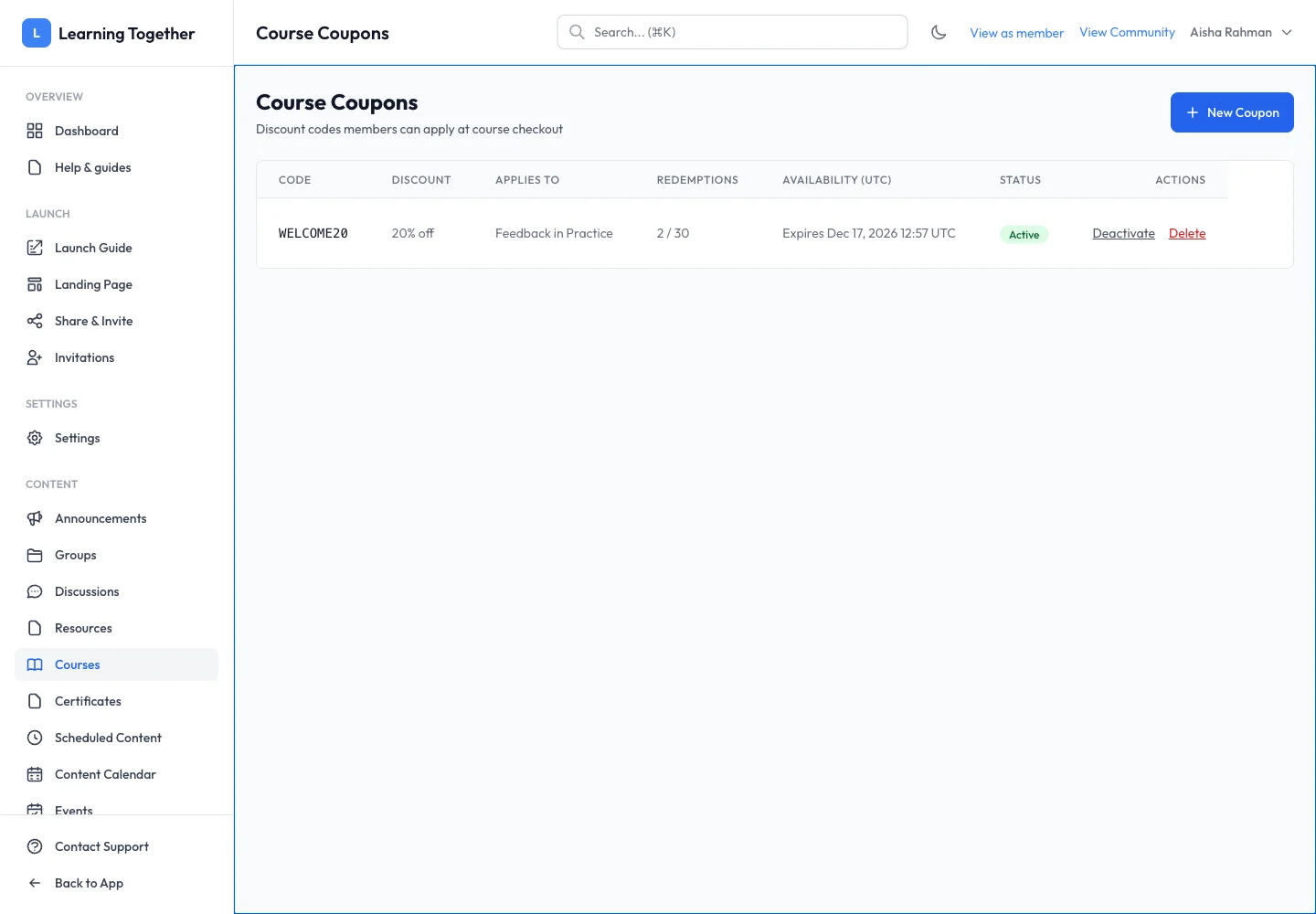
Open the course coupon area from course management and select New Coupon. Enter a recognisable code such as WELCOME20.
2. Set the discount
Choose the supported discount type. For a percentage, enter the percentage off. For a fixed amount, review the amount and currency. Check the course scope so the code does not apply more broadly than intended.
3. Set limits and save
Set maximum redemptions, start date, expiry and Active state as required. Read the timezone shown by the form; the list labels availability in UTC. Save the coupon and inspect the row.
4. Check checkout
Open the eligible course as a learner and apply the code at checkout. Confirm the discount and total before paying. Testing the displayed calculation does not require completing a real purchase.
Expected result
An eligible checkout accepts the code during its availability window and displays the intended discount.
Troubleshooting
- Code rejected: check course scope, active state, dates and remaining redemptions.
- Wrong total: review percentage versus fixed amount and currency.
- Invitation code does not work at checkout: create a course coupon; invitation codes serve a different purpose.
- Course is free: no course purchase discount is needed.