
AI can create a starting layout and copy. You remain responsible for the offer, links, prices and wording that visitors will see.
Before you start
Open Landing Page with editing permission. The platform team must enable its landing-page AI module. Its provider and model can differ from certificate generation and community AI Q&A. Keep a copy of important existing copy before replacing a design.
Steps
1. Describe the community
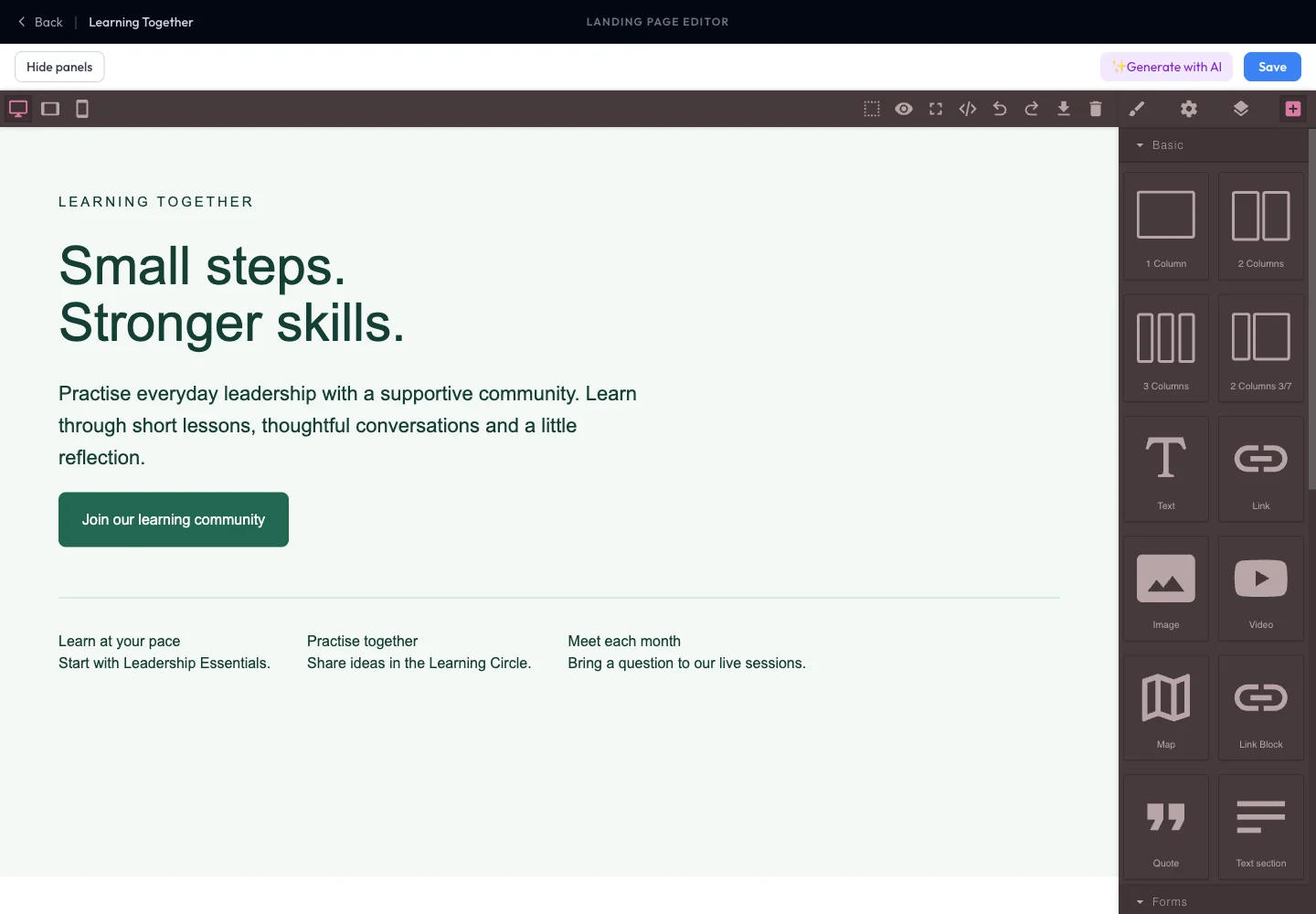
Select Generate with AI. Write a brief naming the audience, purpose, tone and sections you need. For example: “Create a welcoming page for Learning Together, a community for everyday leadership. Include short lessons, peer discussions, monthly meetups and one joining action. Use green accents and clear language.”
2. Generate and wait
Submit the brief using the action in the generation dialog. Let generation complete before editing the canvas. Read any error message if the provider does not return a usable result; repeated clicks can create unnecessary work.
3. Review the actual content
Check every section. Replace invented facts, unsupported promises, sample links and placeholder images. Confirm joining instructions against your community settings. Do not assume AI knows your current price or membership rules.
4. Refine manually and save
Select text and blocks to make changes. Preview phone and desktop widths. Select Save after checking the page. Under Landing-page address, choose Open to inspect the published design or Copy link to share it.
Expected result
You have a saved, manually editable page that reflects your community’s actual offer. AI generation does not remove the need to review the result.
Troubleshooting
- Generation unavailable: ask the platform team to check the landing-page AI module; a certificate key alone does not configure it.
- Result is too broad: provide a narrower audience, three concrete benefits and the required sections.
- Existing design changed: review the canvas before saving and restore your own copy where needed.
- A generated link is wrong: replace it with a verified destination in the editor.