
Membership counts and engagement counts answer different questions. Engagement Analytics measures qualifying participation; sign-ins and other non-engagement events are excluded.
Before you start
Open analytics with the required permission. Choose the question you are trying to answer, such as whether members are participating after joining.
Steps
1. Set the time window
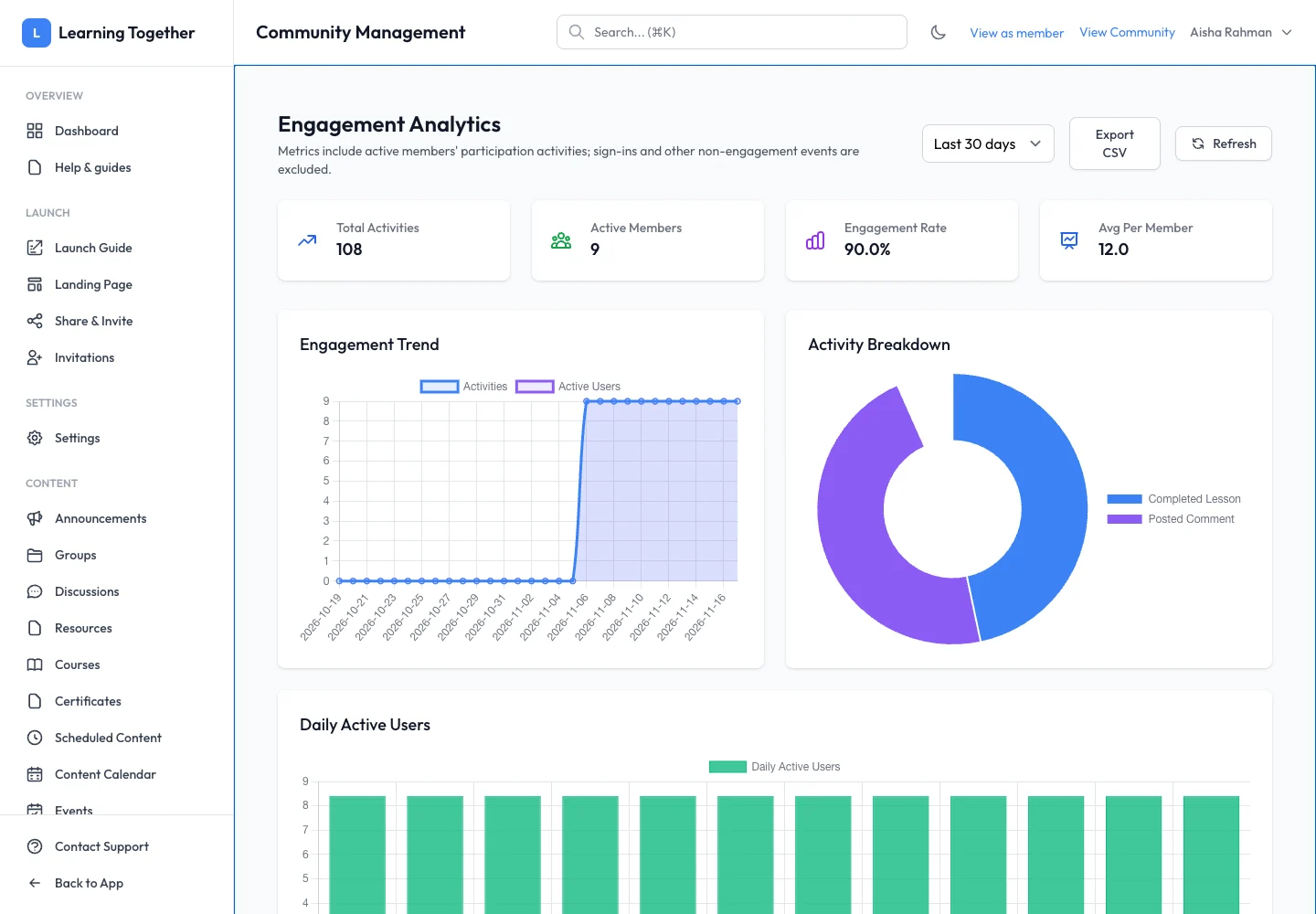
Open Engagement Analytics and choose the date range. Use the same range when comparing related views. Select Refresh when you need to reload current results.
2. Read the main measures
Review Total Activities, Active Members, Engagement Rate and Avg Per Member. Do not interpret Total Activities as unique people. Use the trend and activity breakdown to see which actions contributed.
3. Inspect contributors
Review Daily Active Users and Top Contributors. Use the information to notice participation patterns and identify where clearer prompts or learning support may help.
4. Compare Member Analytics
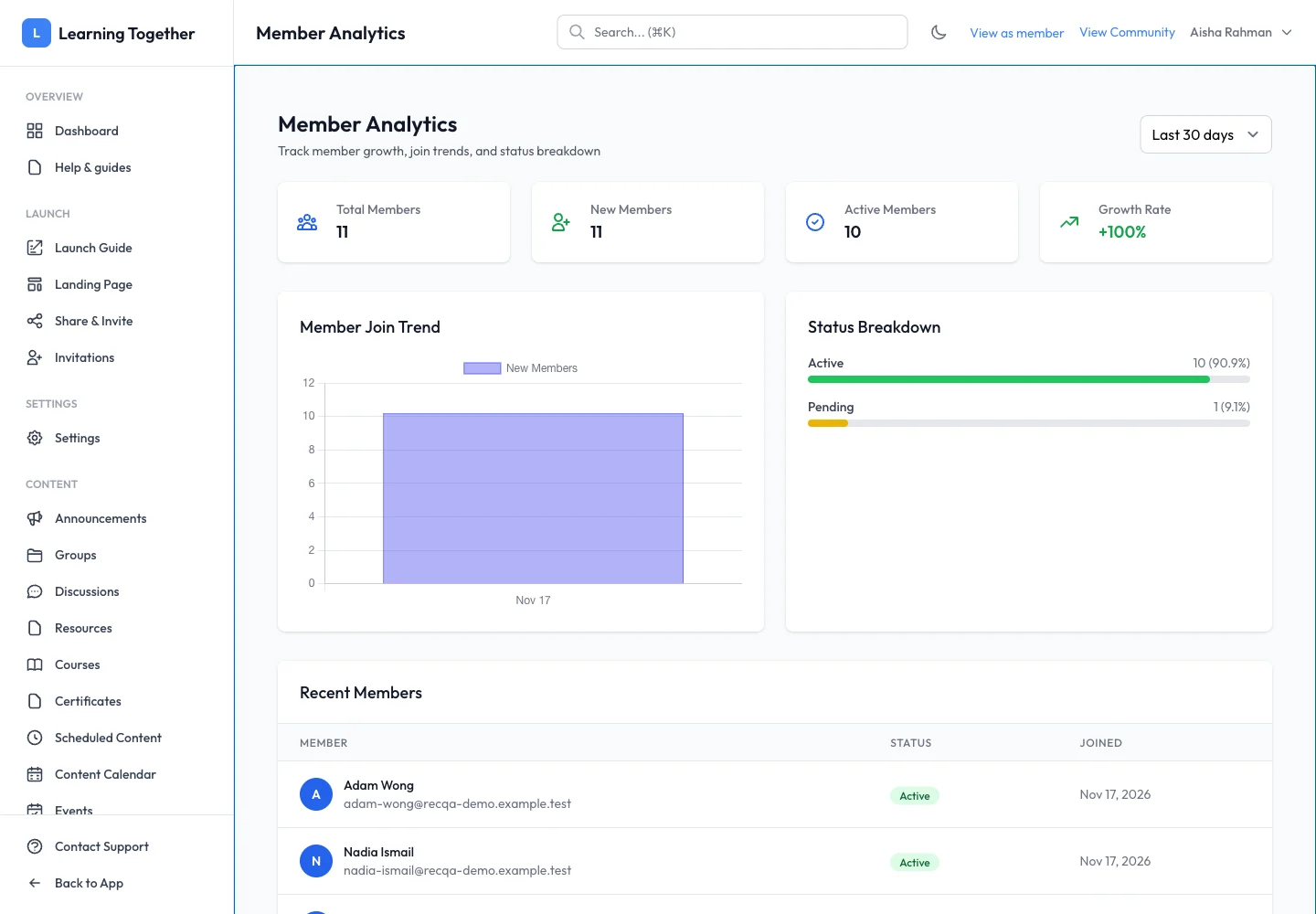
Open Member Analytics. Review growth and the member statuses or segments shown, then open the member list when you need to handle a specific account. A joined member and an active participant are not interchangeable metrics.
5. Export the selected view
Use Export CSV where offered and keep the date range with your analysis. Handle member-level exports only within the authorised team.
Expected result
You can describe membership and participation using the correct measures and period.
Troubleshooting
- No activity: widen the range and check that members performed qualifying actions.
- Counts differ between views: compare definitions and time windows.
- A recently joined member is not active: joining alone does not imply engagement.
- Export seems incomplete: review the current filters before exporting again.