
Discussions work best when the title explains the question and the body gives enough context for others to respond.
Before you start
Join the relevant community and group. Follow its rules and avoid including private information about other people.
Steps
1. Choose the right group
Open Discussions inside the group where the topic belongs. Creators can also open Discussions → Create Discussion in management and select the group there.
2. Write a useful post
Enter a descriptive title and explain your question or idea in the content field. In the creator form, content needs at least 20 characters. Review the group and select Create Discussion or the posting action shown in the member composer. Posting can make the content visible immediately.
3. Read and reply
Open the discussion. Type your response in Add a reply and select Post Reply. Use Reply on a particular comment when responding to that person. Edit or delete controls are shown where you have permission.
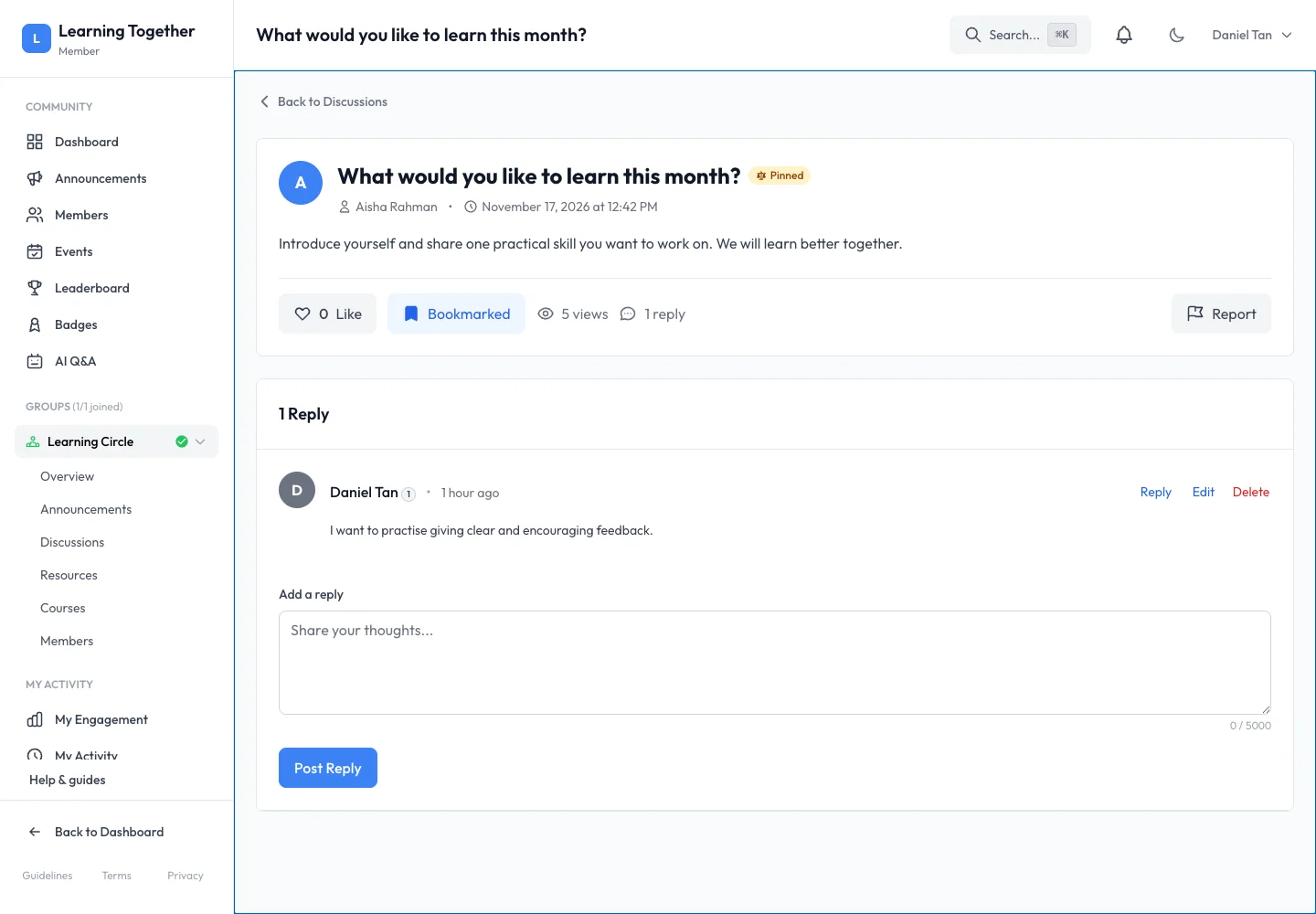
4. Like or save the conversation
Use Like to acknowledge a helpful contribution. Select Bookmark to save the discussion in your personal Bookmarks page. Neither action changes who can read the thread.
5. Report a problem
Use Report when content needs moderator attention. Choose the appropriate reason and add a clear explanation. A report asks the community team to review; it does not guarantee immediate removal.
Expected result
Your post or reply appears in the correct group and can be revisited through discussions, activity or bookmarks.
Troubleshooting
- Cannot post: check membership, group availability and required content fields.
- Reply did not appear: wait for the action to finish and inspect any validation message before submitting again.
- Need to change a post: use your own Edit control where available.
- Report remains visible: moderators review reports separately from posting.