
Course visibility, enrolment and lesson release are separate controls. A member may see a course page while still needing approval or waiting for a lesson’s release.
Before you start
Open the course curriculum and select Edit Course Info. Decide how long learners should have access and whether they must follow a fixed sequence.
Steps
1. Review enrolment rules
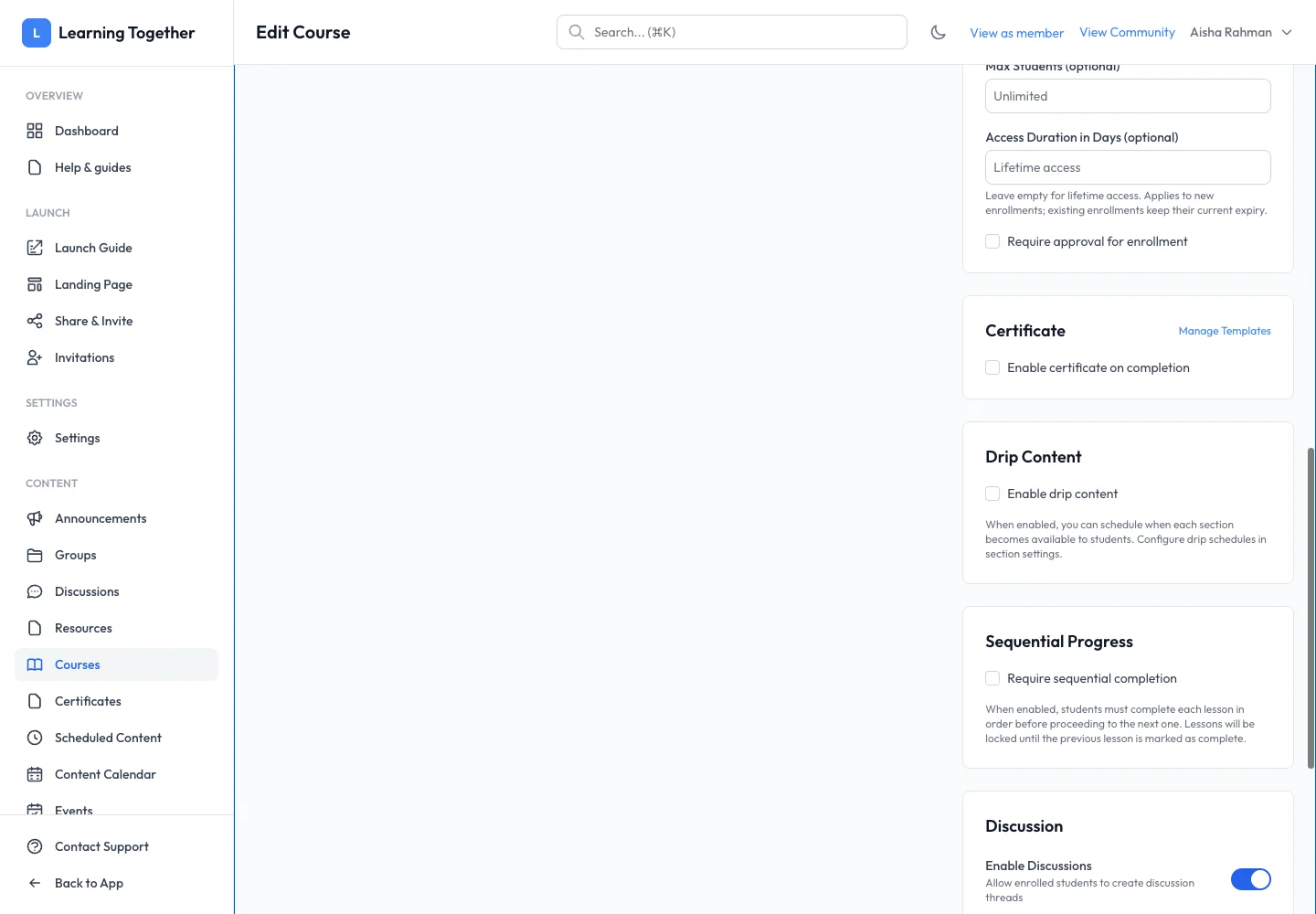
Set Max Students and Require approval for enrollment where needed. Use Access Duration in Days for time-limited access or leave it blank for lifetime access. Changes to duration apply to new enrolments; existing enrolments keep their current expiry.
2. Configure drip content
Enable Drip Content if sections should become available gradually. Save, then open the section settings in the curriculum and configure the release schedule. Inspect the displayed release state before announcing availability.
3. Choose sequential progress
Enable Require sequential completion when learners must finish one lesson before opening the next. Make required lessons clear and avoid using this setting if learners need to browse freely.
4. Enable discussions and certificates
Choose Enable Discussions to allow enrolled students to create course discussion threads. For completion certificates, enable the certificate option and select a configured template where shown. Use Manage Templates to prepare it first.
5. Save and check a learner account
Select Save Changes, then inspect the course as a learner with the relevant enrolment state. Check a locked lesson, an available lesson and the completion requirement.
Expected result
Learners encounter the intended access, release and completion rules. The management screen’s saved availability status reflects the changes.
Troubleshooting
- Changing expiry did not affect an existing learner: existing enrolments retain their expiry.
- Later lesson locked: complete the preceding required lesson or inspect its release schedule.
- Certificate missing: verify course completion, certificate enablement and the selected template.
- Discussions unavailable: confirm enrolment and Enable Discussions.