
A group is a focused area within a community. Its joining rules can differ from the community’s own rules.
Before you start
Join the community first. Keep any group invitation you received and review a group’s price or approval requirements before joining.
Steps
1. Browse groups
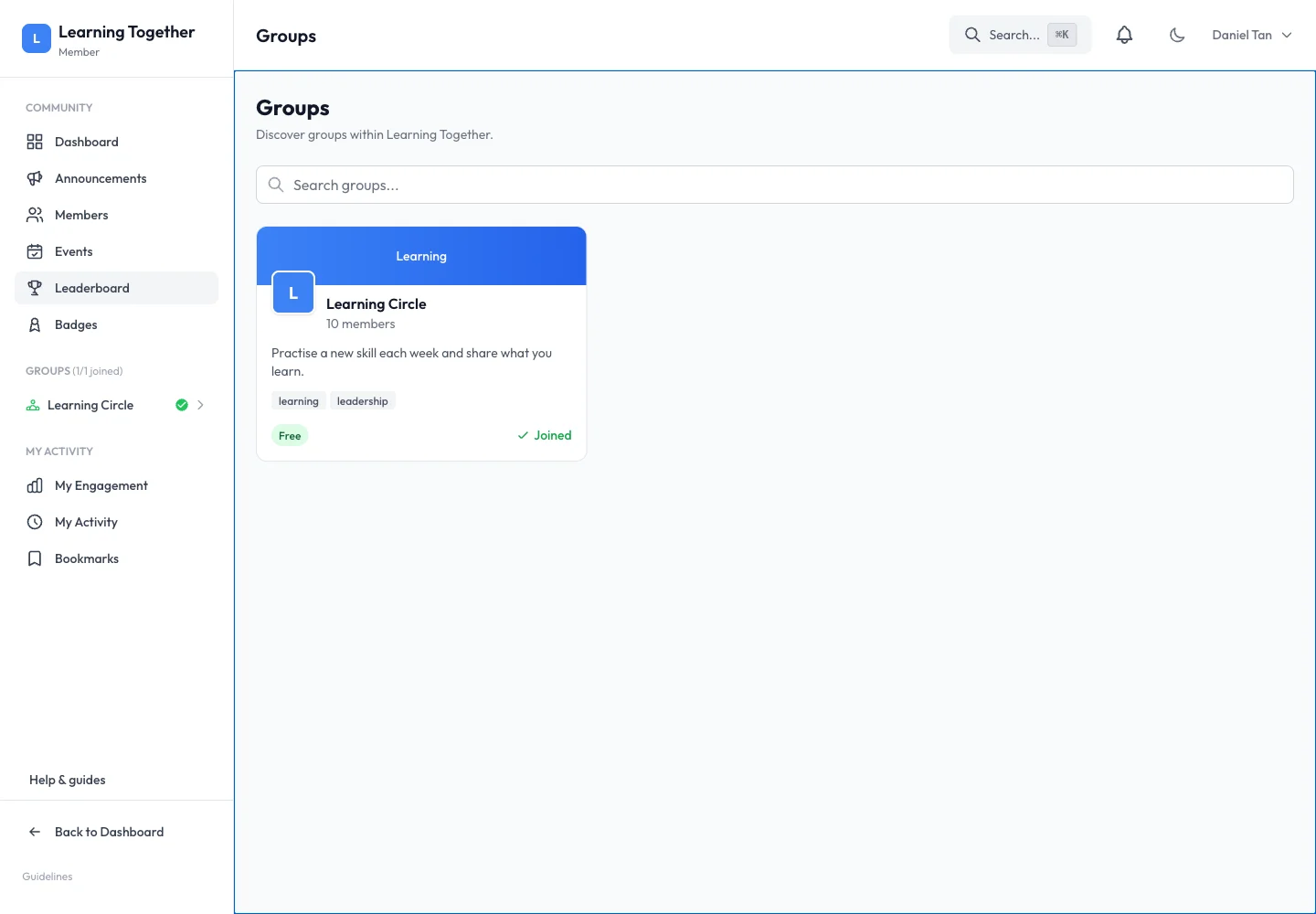
Open the community’s Groups area. Read the group descriptions and choose one that matches your interests. Some groups may only be available through an invitation.
2. Join using the displayed action
Free groups may allow immediate entry. Approval-based groups place your request with the organiser. Paid groups require the displayed checkout. An invitation may grant access to both the community and group; read the offer before accepting.
3. Read the overview
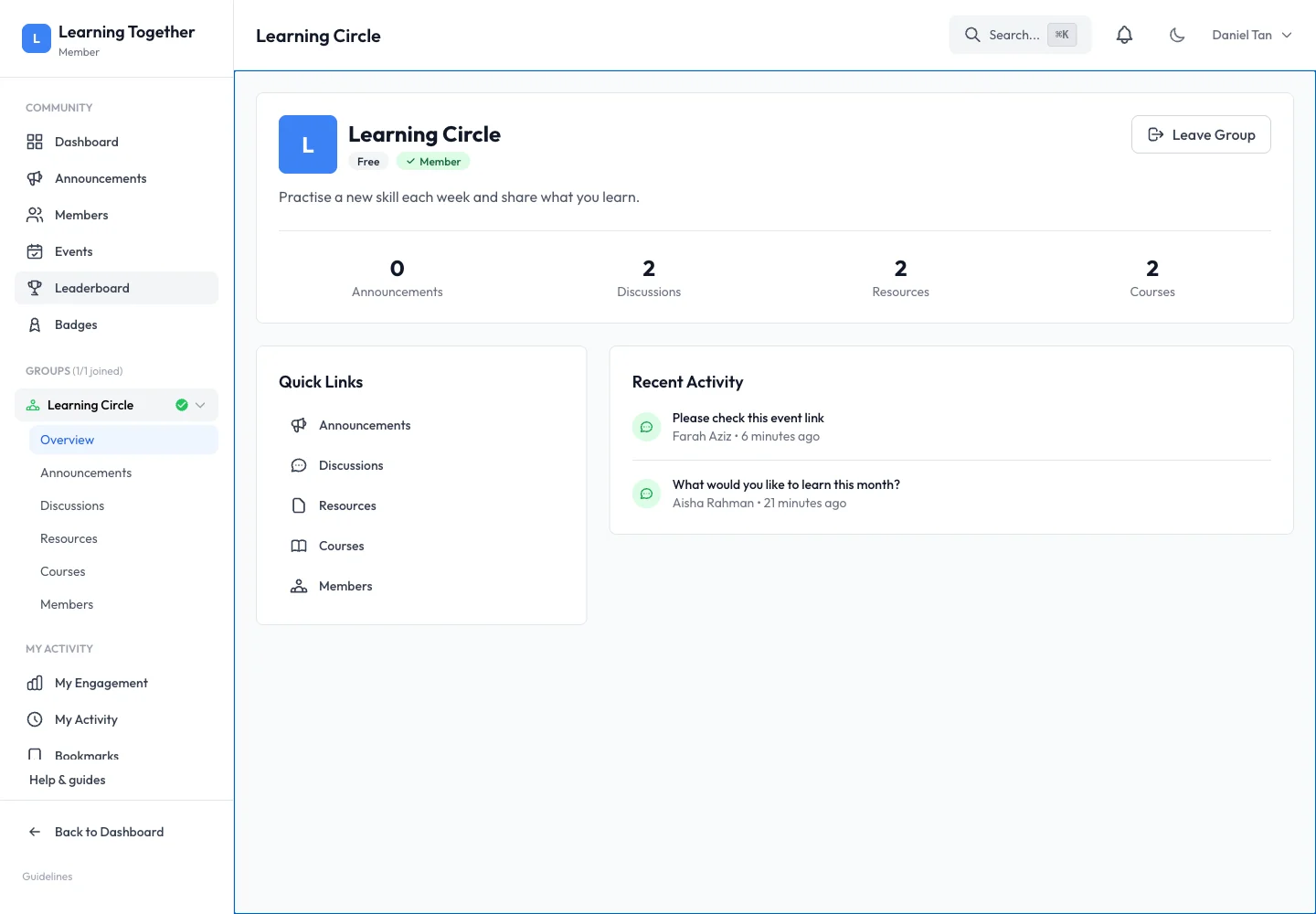
Open the group’s Overview. Read its welcome message, benefits, requirements and rules. Use the group navigation to open Announcements, Discussions, Resources or Courses where available.
4. Return from your dashboard
Use My Groups or the group list in the community sidebar to return. A Members link appears only when the creator allows directory visibility.
Expected result
You can open the group’s included content, or see that your request is waiting for approval.
Troubleshooting
- Group asks for another payment: community membership and group membership may be separate offers.
- Pending request: wait for the group team; repeating the request does not approve it.
- Group disappeared: it may be paused or your access may have changed.
- Members list missing: the creator may have disabled member-directory visibility.