
Bookmarks save a shortcut to a discussion. They do not make a private discussion public or preserve access after you leave its community.
Before you start
Join the relevant community and group, then open a discussion you can read.
Steps
1. Save a useful discussion
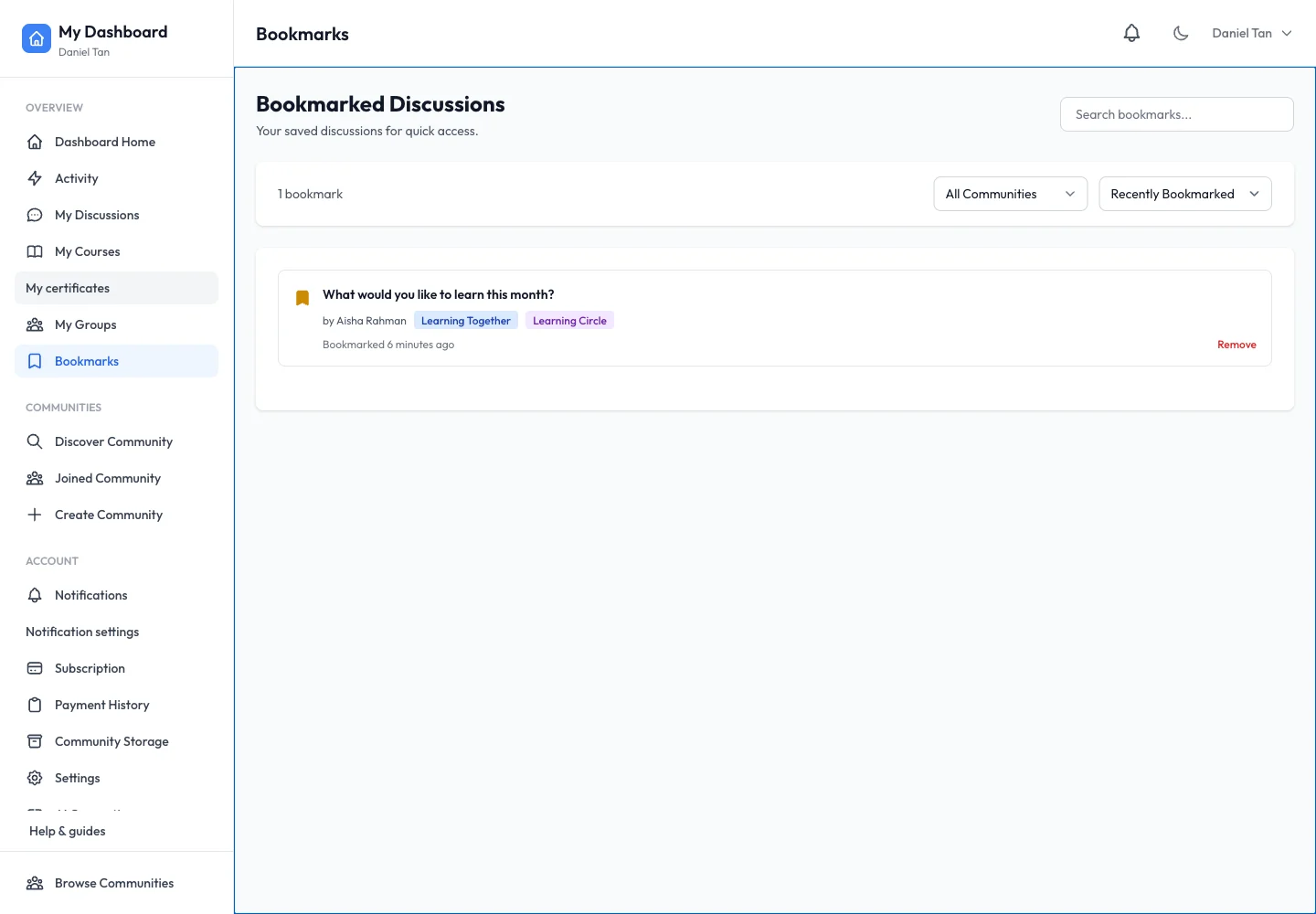
Open a discussion and use its bookmark control. The control’s state changes when the discussion is saved. Save a conversation such as “What would you like to learn this month?” so you can return to the replies later.
2. Open Bookmarks
From your personal dashboard, select Bookmarks. Use the community filter when you belong to several spaces. Change sorting between Recently Bookmarked, Thread Date and Alphabetical to find the saved discussion.
3. Revisit and remove a bookmark
Open the saved title to read the latest replies. Use the bookmark control again to remove it when it is no longer useful. Removing a bookmark does not delete the discussion.
4. Follow other personal shortcuts
Use Activity and My Discussions to revisit participation, My Groups for group membership and My Courses for learning progress. These views reflect your own account, not every member’s activity.
Expected result
Saved discussions appear in Bookmarks and open their current thread. Removing one removes only your shortcut.
Troubleshooting
- Saved thread missing: clear the community filter and confirm the account you are using.
- Thread no longer opens: the author or moderator may have removed it, or your membership may have changed.
- A course is not in Bookmarks: use My Courses; discussion bookmarks are a separate feature.