
Each community chooses whether to use rewards and which badges to offer. Your progress can therefore differ between communities.
Before you start
Join the community and participate in its supported activities. Rewards and public leaderboards appear only when the creator enables them.
Steps
1. Open Badges
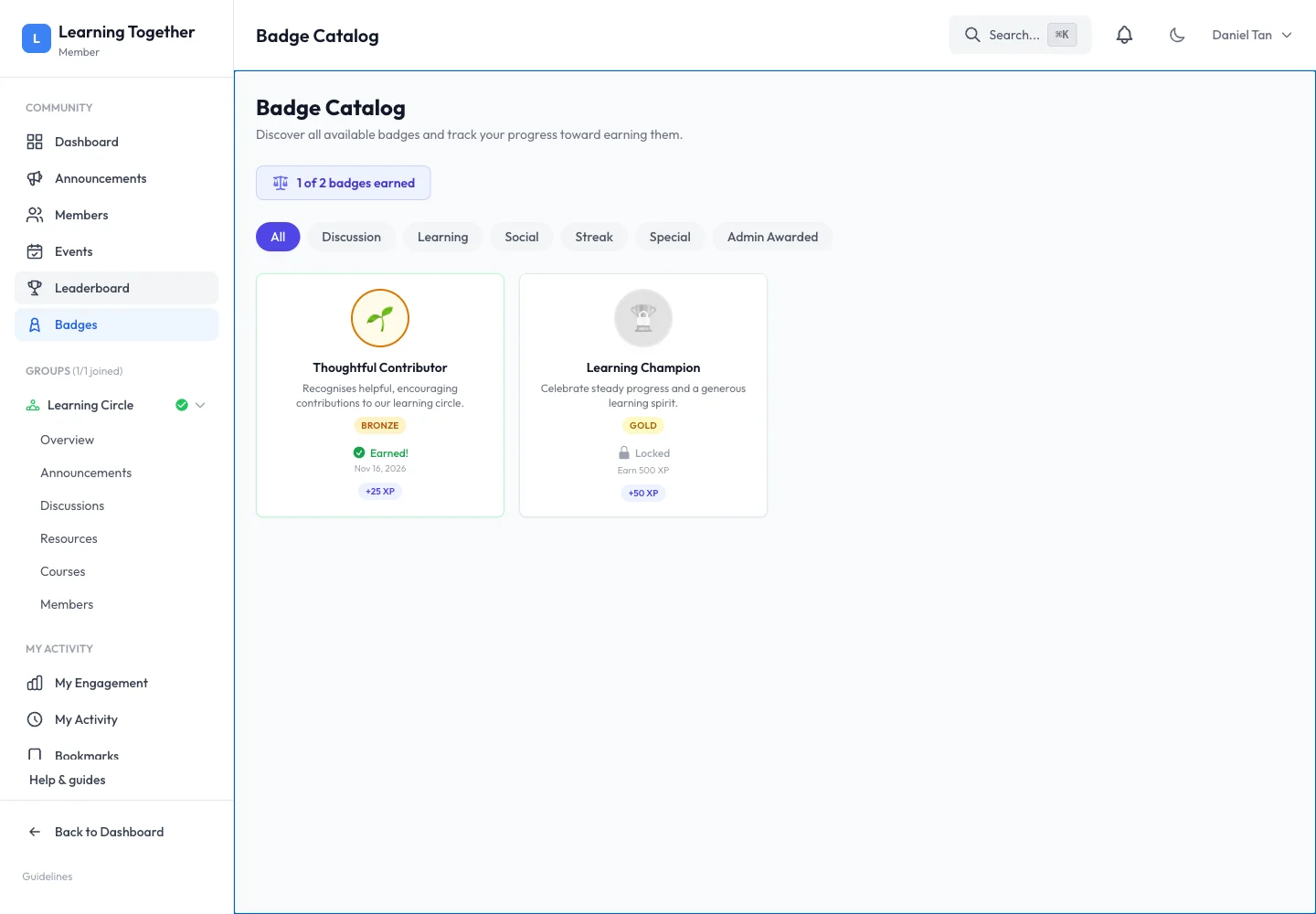
Choose Badges in the community navigation. Read the number earned and filter by category. Open or inspect a badge to understand its description, tier, XP bonus and earning requirement.
2. Review engagement
Use My Engagement to inspect your personal participation information where available. A streak depends on qualifying activity and the community’s rules, rather than simply leaving a browser tab open.
3. Check the leaderboard
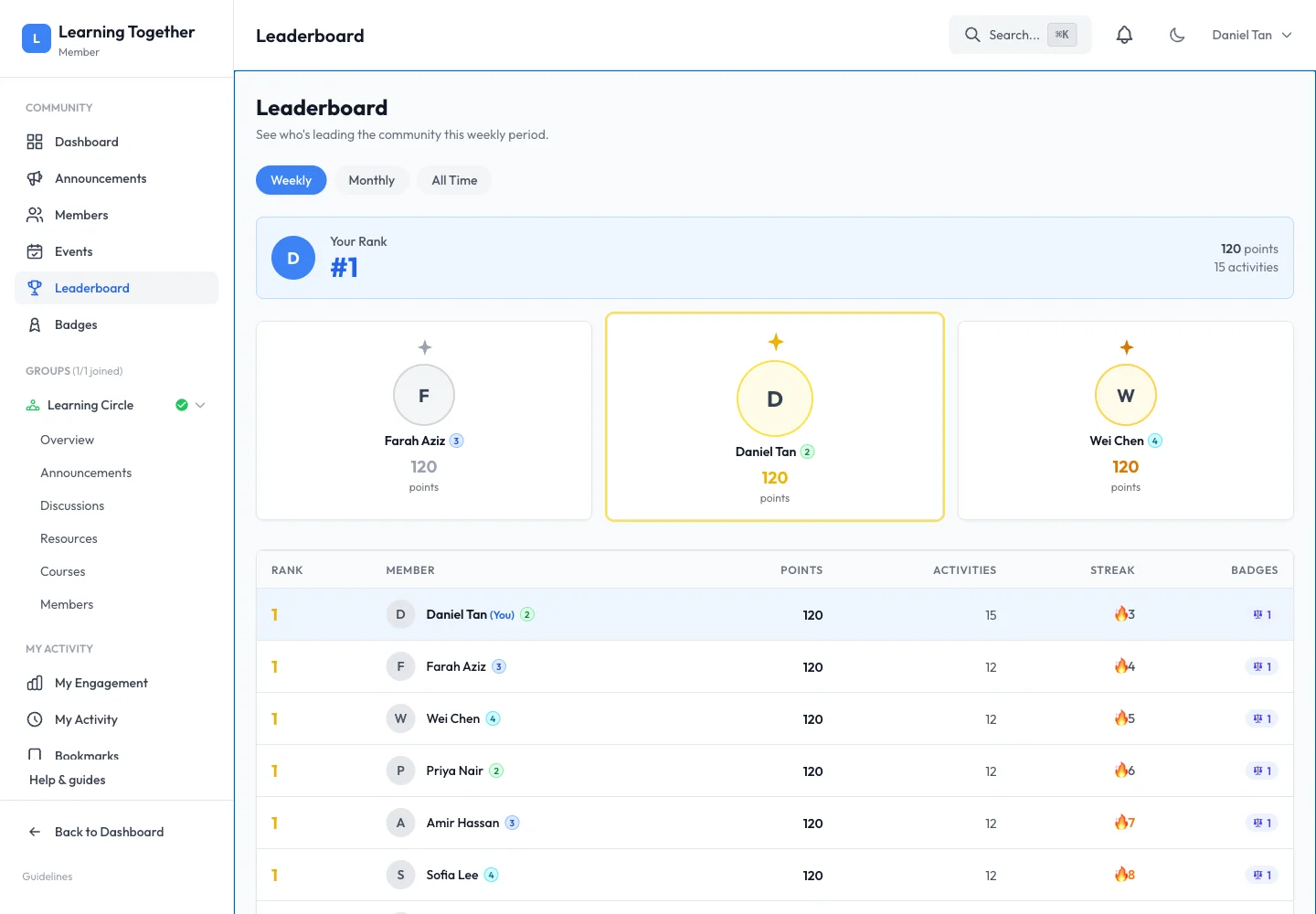
Open Leaderboard if it is enabled. Read its period and ranking labels before comparing scores. Use the view as a record of participation, not as a complete measure of someone’s contribution.
4. Ask about organiser-awarded badges
Some badges are awarded by the community team rather than an automatic threshold. Read the badge description and contact the organiser if you believe an eligible achievement has been missed.
Expected result
You can distinguish earned badges from remaining goals and understand the community’s visible reward system.
Troubleshooting
- No Leaderboard link: the creator may have disabled it or hidden the member directory.
- Badge remains locked: check the exact criteria or whether it needs a manual award.
- Streak changed: review qualifying activity dates and the community timezone.
- Different XP in another community: each community tracks its own participation.