
Payouts move eligible creator earnings through the method enabled by the platform. Read the schedule and method shown on your live screen; availability can differ by account and platform configuration.
Before you start
Use an account with payout permission. Confirm the available balance and prepare accurate destination details for a supported method.
Steps
1. Review balances
Open Payouts. Compare Available Balance, Pending Balance, Total Earnings and Total Paid Out. Only the available balance is ready for a new request.
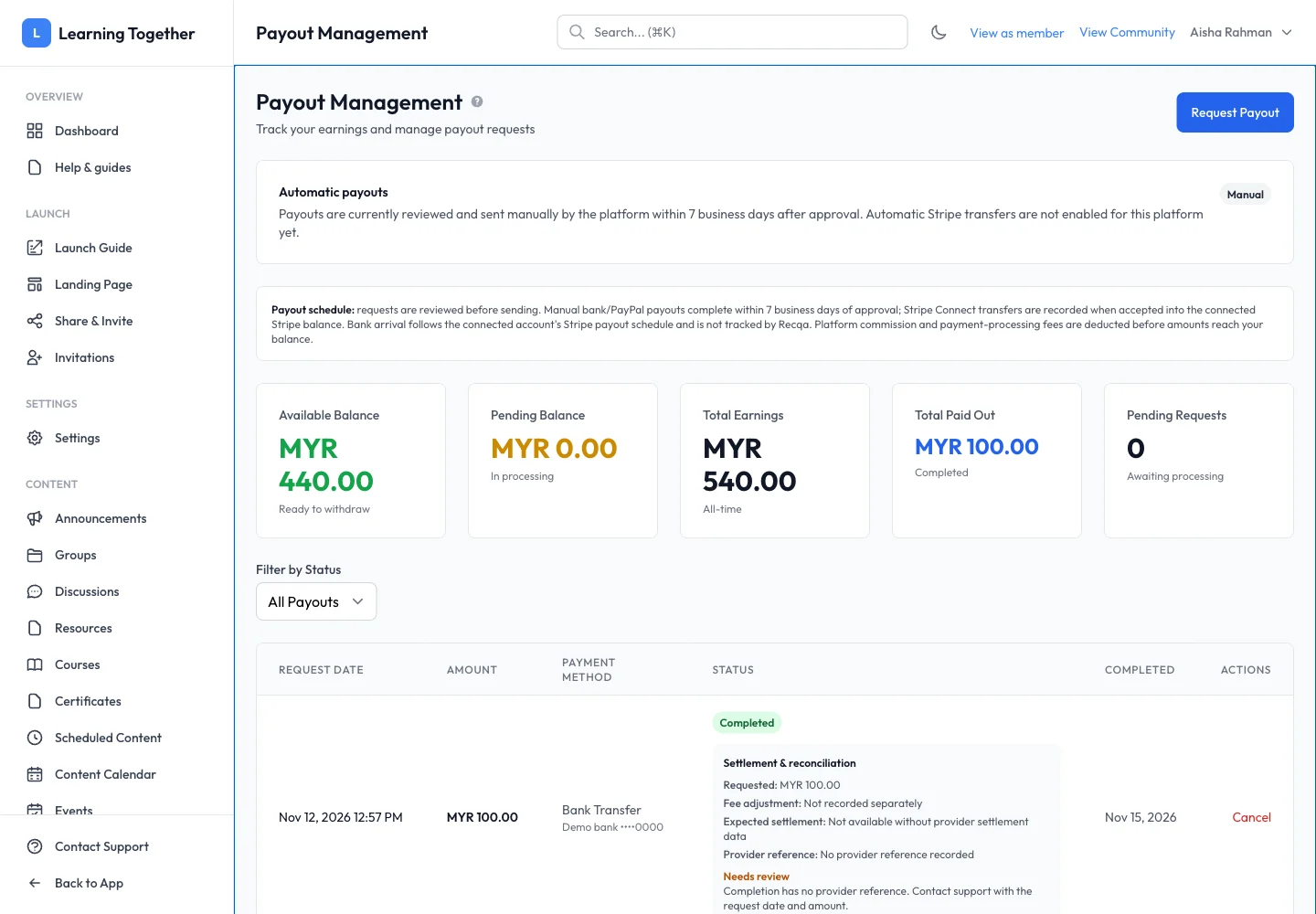
2. Read the payout arrangement
Read the automatic/manual payout message and schedule on the page. A Stripe transfer accepted into a connected balance does not itself prove arrival in a bank account. Follow the live screen’s explanation for the method you use.
3. Request the intended amount
Select Request Payout. Choose an available method, enter the amount and destination details, then review the confirmation. Check the account information carefully before submitting.
4. Track the request
Find the request in history and filter by status if needed. Inspect settlement and reconciliation details, provider references and any Needs review message. Keep the request date, amount and reference when contacting support.
Expected result
A request appears with the intended amount and method, and its status can be followed through processing. Use settlement evidence for questions about actual receipt.
Troubleshooting
- Amount exceeds balance: review Available Balance rather than Total Earnings.
- Automatic transfer unavailable: use the enabled method or contact support; the guide cannot enable it.
- Completed but no provider reference: follow the Needs review guidance and contact support.
- Need to cancel: use a cancellation action only if available for the request’s current state and read its confirmation.