
Use the learner list for access and progress, and Reviews for feedback moderation. Hidden reviews are excluded from learner-facing review lists and visible rating averages.
Before you start
Open a course you can manage. Use the correct community and course when checking an account with several enrolments.
Steps
1. Open Students
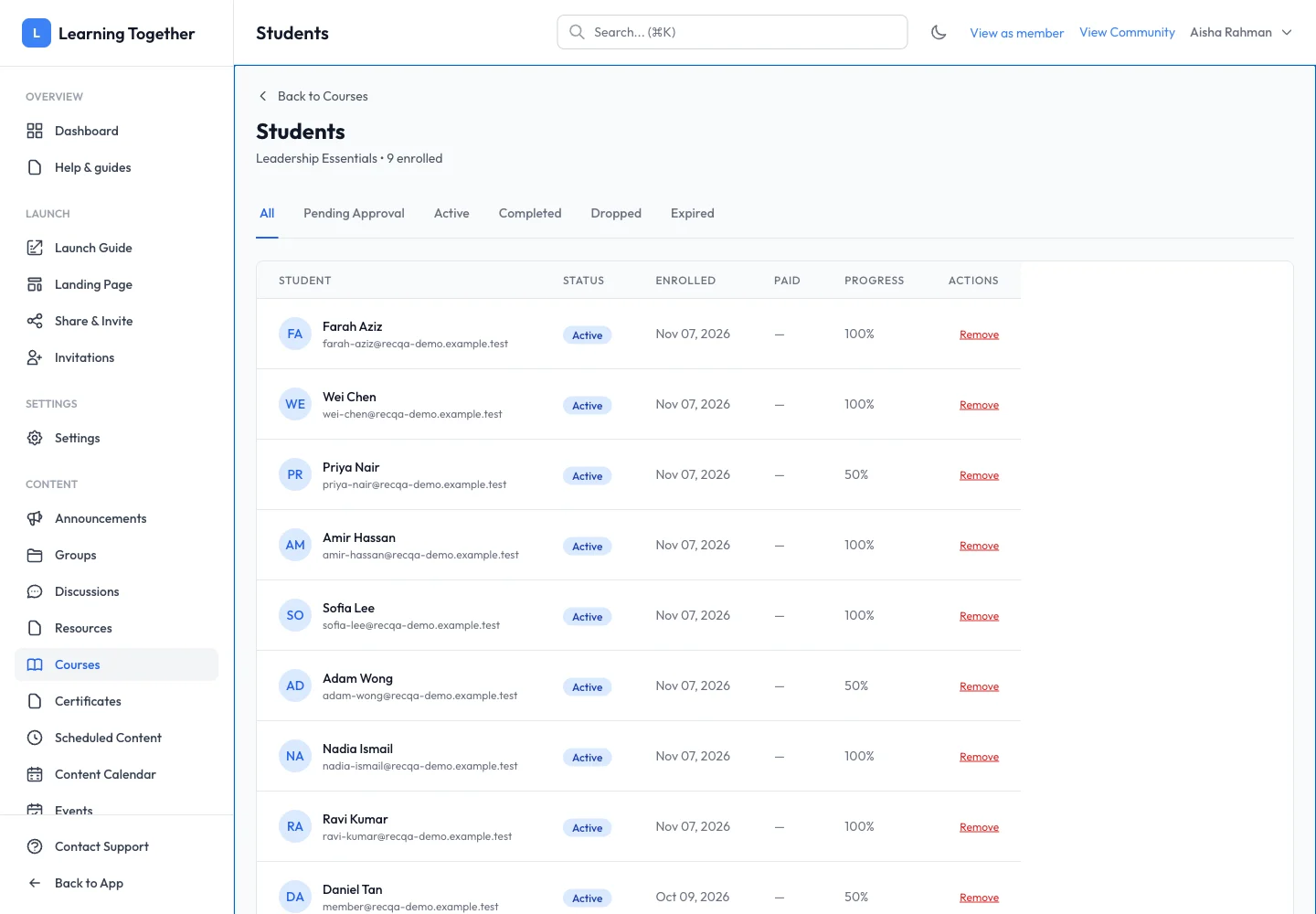
From the course management actions, open Students. Search or filter as available. Match name and email, then inspect enrolment status, date, expiry and progress.
2. Resolve access requests
Use the available approval or removal action only after reviewing the learner’s status. Read confirmation messages. Removing enrolment does not itself refund a payment; review the associated transaction separately.
3. Review feedback
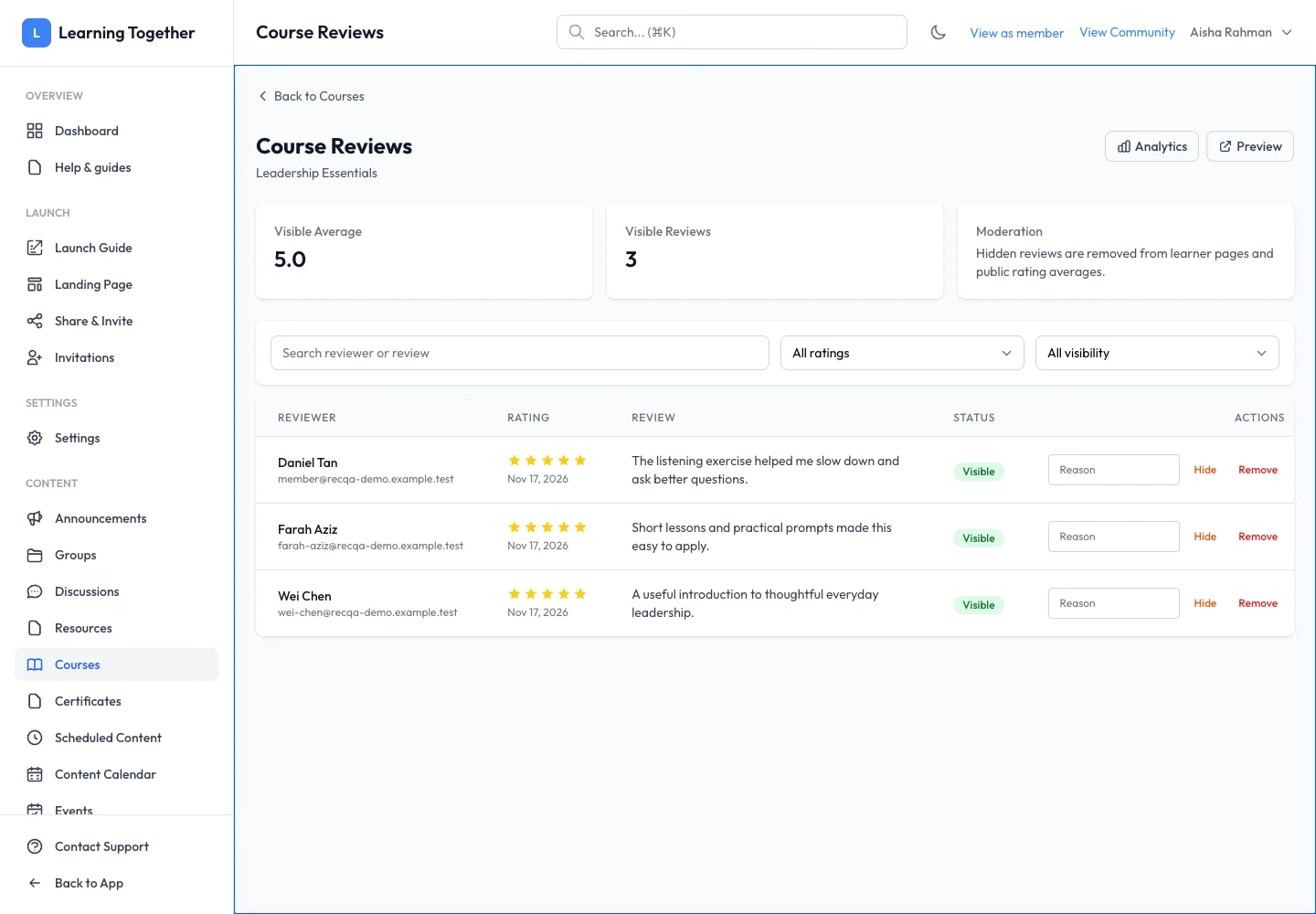
Open Reviews. Filter by star rating and Visible or Hidden. Read the feedback in context before changing visibility. Hide a review only according to your community’s moderation approach, not simply because it is critical.
4. Check analytics
Open Analytics to inspect enrolment and completion patterns. Use low completion or repeated questions to identify lessons that need clearer instructions.
Expected result
Learner access is handled deliberately and useful feedback remains available. Review visibility changes are reflected in the visible average.
Troubleshooting
- Progress seems lower than expected: ask which required lesson or quiz remains incomplete.
- Learner not listed: confirm the account email and course; a purchase and an active enrolment are different records.
- Rating average changed: check whether a review was hidden or restored.
- Remove action unavailable: check management permissions and the current enrolment state.